
Ask a finance team how much of their AP invoice processing they could automate, and most will guess 50%, maybe 80%. The honest answer is higher than most people expect, with one important condition.
In this article, I go through AP automation step by step: what the system does, what people still do, and why e-invoices make the difference. I also share what I learned when automation did not work as planned.
The short answer
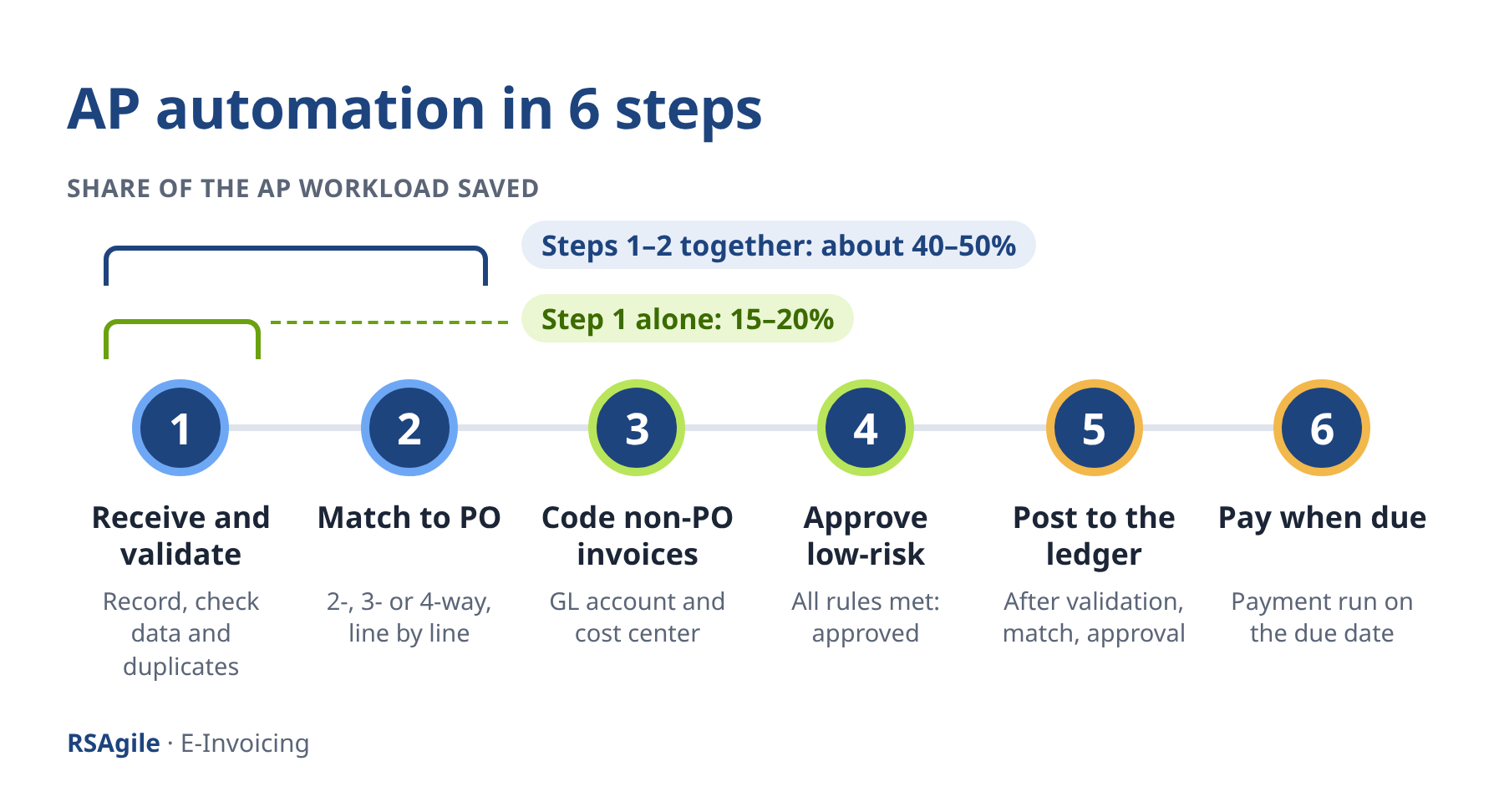
All six steps from invoice receipt to payment can be automated: receive and validate, match, code, approve, post and pay. That is 100% of the steps, not 100% of the invoices; exceptions still go to people. You can start today with PDF invoices and OCR or AI capture. E-invoices take you much further, because they deliver every invoice line as data.
Why AP invoice processing is still so manual
In many AP departments, the process still looks as it did when invoices came on paper. An invoice arrives by email. Someone enters or checks the data, matches it to the purchase order and goods receipt, sends it for approval and chases the approvers. Only then is it posted and paid.
Every step needs a person, and every person adds waiting time. On average, AP teams take 8.2 days to process a single invoice (Ardent Partners, State of ePayables 2025); in a largely manual process, 8–14 days is common. Early payment discounts are lost, and the AP team spends its time typing and chasing instead of analysing.
The 6 steps of AP automation, and what people still do
Full AP automation follows the invoice through six steps. Each step builds on the previous one, so the order matters. People are still involved in the process but in a different way.
With or without e-invoices: what really changes
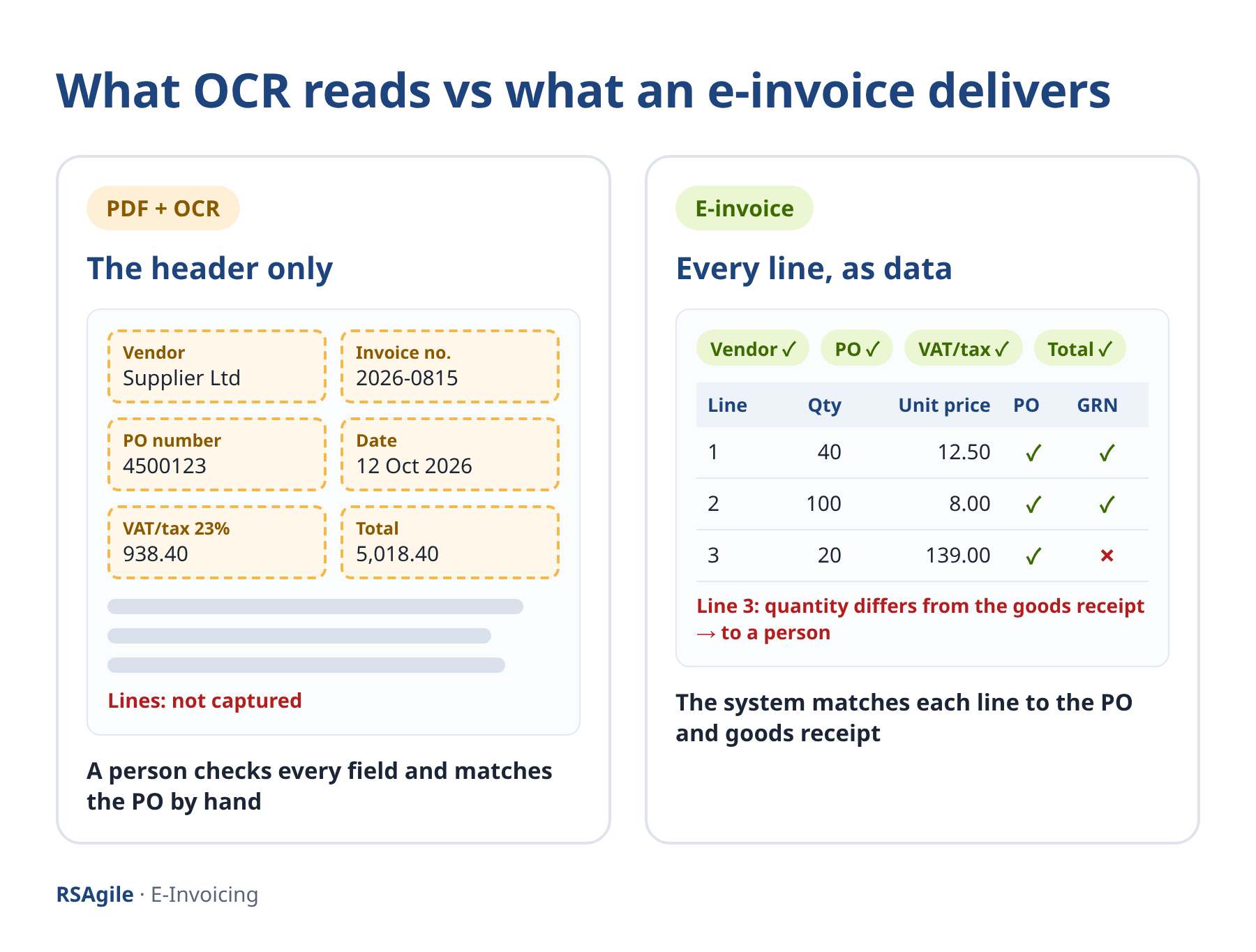
From practice: what OCR could not fix
Without line items, automation stops at the header.
Peter Ilas, FCCA
Senior Finance Manager and Group Director of Accounting and Taxes
Senior Finance Manager and Group Director of Accounting and Taxes
Automated approval: a stronger control than a quick click
Not on day 1: the 4 stages of AP automation
Full automation is not a day-one project, and it never covers all invoices. The optimal approach is through four stages:
Why AP automation stalls: compliance only and the old process
The business case: cost per invoice and 5 KPIs
Key takeaways
FAQ
Do we need e-invoicing before we automate AP?
No. You can start with OCR or AI capture on PDF invoices and automate intake and validation. To automate matching and approval at line level, you need structured e-invoice data.
Will we need fewer AP staff?
Usually not fewer people, but different work. Most companies move AP staff from data entry to exceptions, vendor management and analysis.
Is automated approval safe?
Yes, when the rules are right and monitored. The system applies the same checks to every invoice and logs every decision; anything unusual still goes to a person.
Automate your AP process step by step
Peter Ilas, FCCA

Practical, self-paced courses for finance and audit professionals.
Created with